
It can be useful to display only gilts on a work list. For example, you may want to print sow cards for gilts only or display a work list with treatments for gilts only. To do this, you must create separate work lists for gilts and sows.
Go to “Management” – “Work List”.
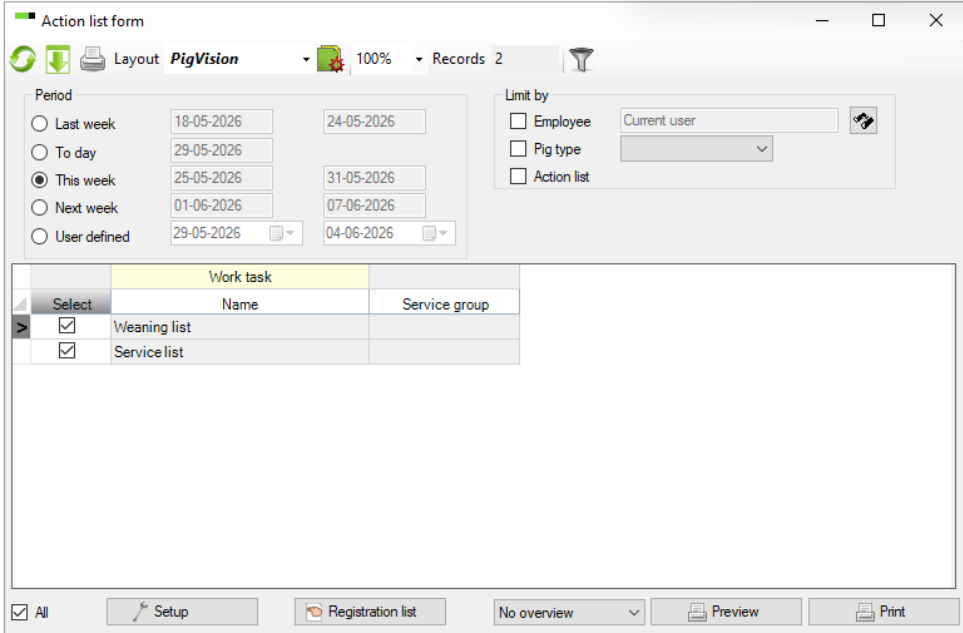
Choose “Setup” at the bottom.
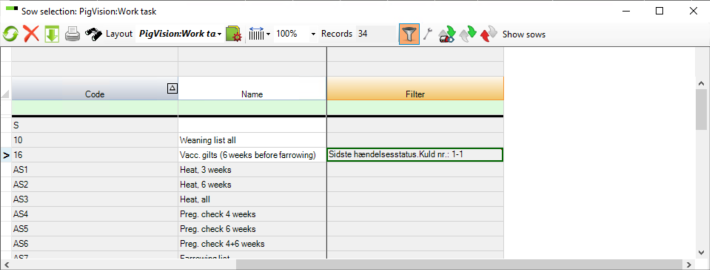
Right-click at a column, and the “Layout setup” window will appear.
Find and add “Filter” under the Sow Section option. 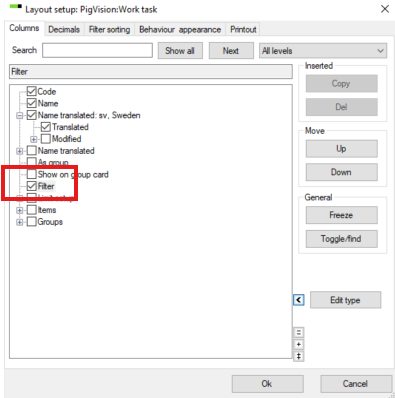
Click "OK".
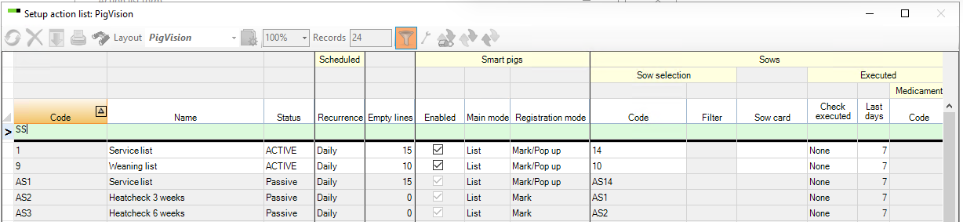
Double-click on a number in the “Sow Selection” column (in this example, double click on 14).
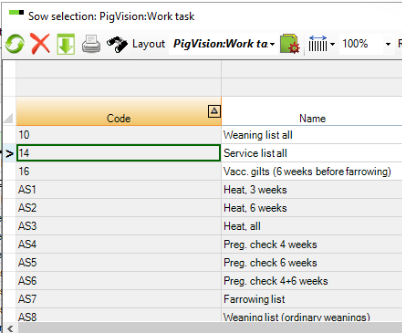
If the line is grey, it is not activated. To activate it, select the list you want to activate, click the “wrench” in the menu, and then close the window again.
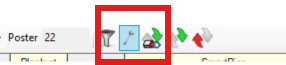
The list is now active.
Then choose “Service list”. Place the cursor on the number in the “Code” column, press F2 (sometimes Fn+F2), and change the code to, e.g. “14_maiden gilts”. Then create a service list for sows (e.g. “14_sows”) in an empty row.
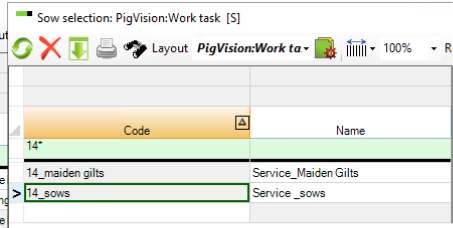
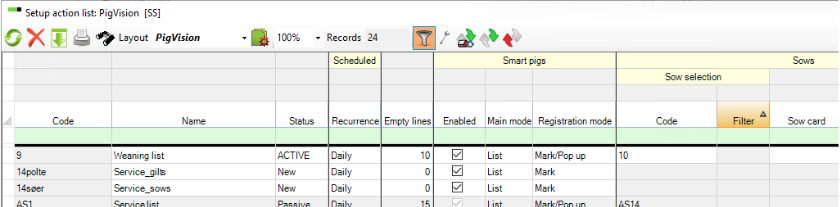
When the new work lists are available, you need to set up one to show only maiden gilts and one to show sows.
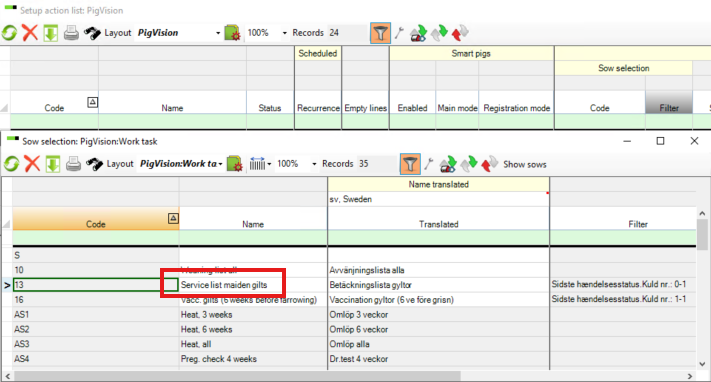
Double-click on “Animal filter”. A new window will open. Then double-click a cell under “Filter” on the line for the work list you want to edit. In this example it is the service list for gilts – and here you choose 14_maiden gilts.
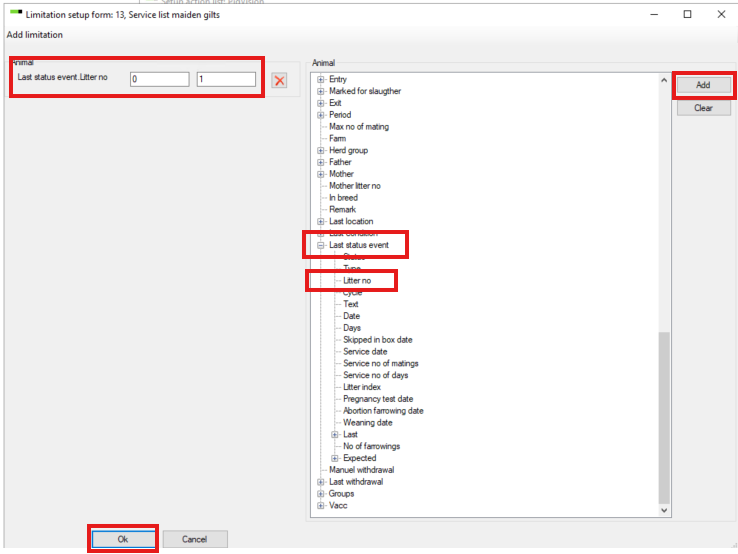
Double-click in "Filter". Find “Last status event” – “Litter no.” – and click “Add”.
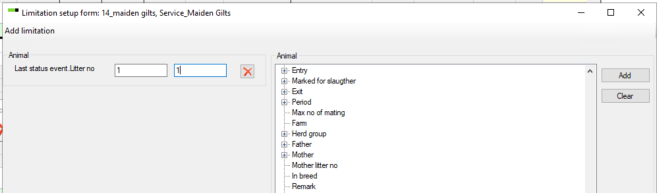
In the setup for the maiden gilts list, set “Last status event. Litter no" enter 1 in both boxes to show gilts only.
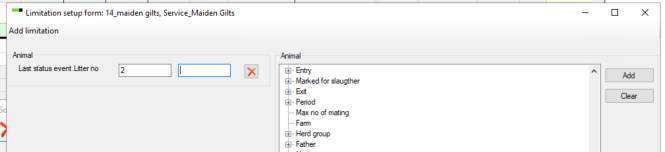
In the sows work list, enter 2 in the first box and leave the second box empty - to show litter 2 and above.
Click "OK" to save.
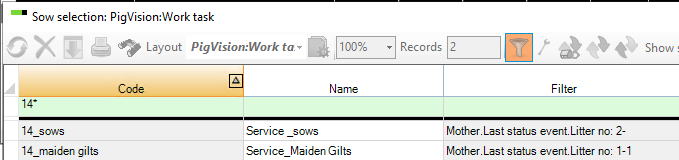
It is now possible to create a work list that shows only gilts or only sows.
See also Work tasks for emplyees in action list : PigVision | Customer Service Portal for the general guide to setting up work lists.
Print sow cards for gilts only
The same segmentation method can be used if you only want to print sow cards for gilts.
Go to “Management” – “Work Lists” – “Setup”. Find the required work list. If “AS__” appears before the number, the list must be activated by clicking the wrench. The window that opens can simply be closed again, and the list will then be activated.
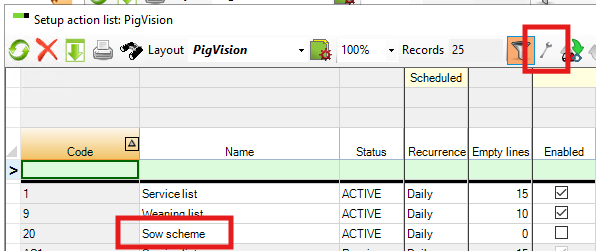
Rename “Sow Scheme” to “Sow cards_sows” and create “Sow cards_gilts” on an empty line. Then create the selection under “Animal filter” as described above.