
First, you need to create a location (for example, Location X) and set it as your weaning location. This can be done under menu "General" - Location". Read more how to create locations.
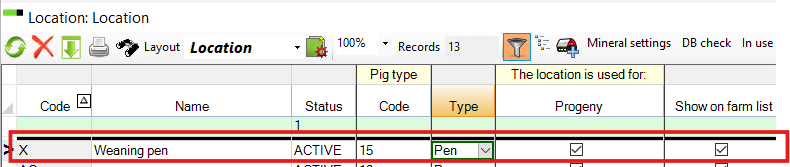
After that, there are two ways to register your weaned pigs:
Option 1: While you are weaning pigs.
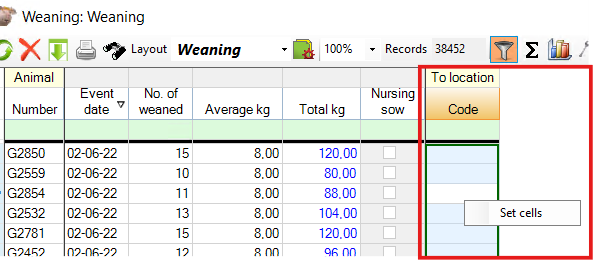
When registering weaning, you can add the created weaning pen code in the “To location” column. The pigs will then be automatically added to the weaning pen.
Alternatively, after completing the weaning registrations:
- Mark the “To location” column
- Right-click and select location "X".
The program will then assign the pigs to this location.
Option 2: After weaning (Progeny Entry)
If you didn’t assign a location during weaning, you can do it afterwards:
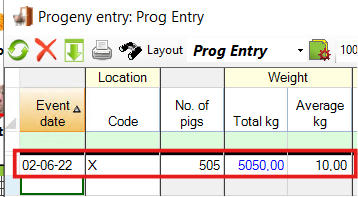
- Go to Progeny → Entry
- Enter the date and total number of weaned pigs
- Choose Location X as their location
From there, you can move pigs later by creating transfers from Location X to other locations.