
When you have setup your batch recording to "Manuel" in "Setup" you can register the batches on batch only or you can combine batch and location.
When working with batch only, the system follows the "All in/All out" principle.
A batch begins and is assigned a start date, when the first pigs are placed into the batch and ends when the last pig leaves the batch and an end date is assigned.
There are several data entries you can do with your batch, for example:
- Entry
- Transfer
- Dead
- Exit
- Slaughter group
You will find these under "Progeny".
Batch reports can be generated for both open batches and closed batches. However, batch reports are most commonly used when a batch has been closed, as all production data has been completed and registered.
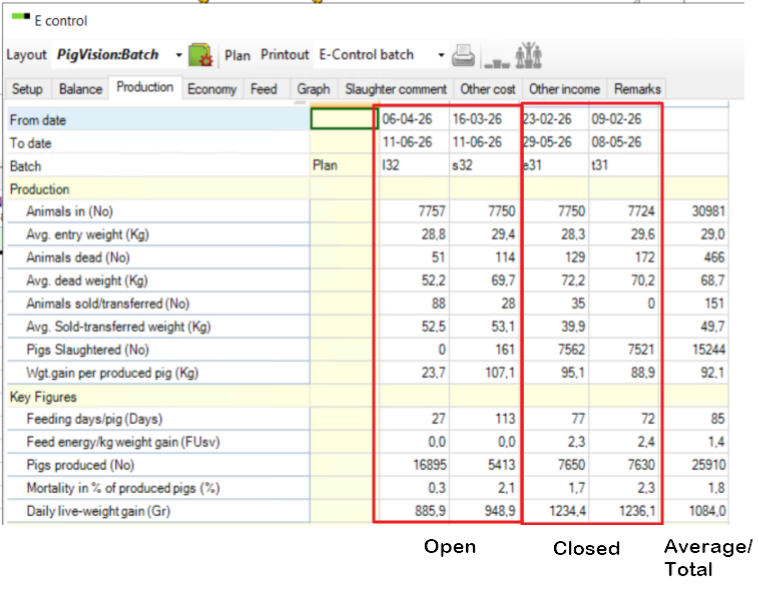
When combining batch and location you can run the batches as above and at the same time run production reports with inventories on different dates.
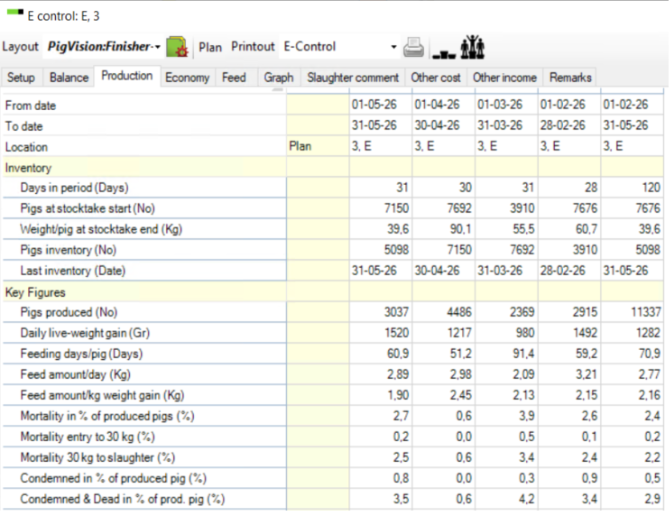
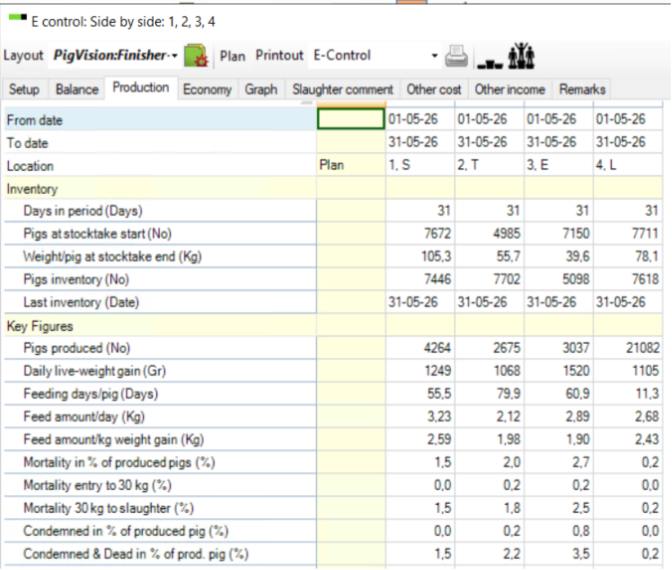
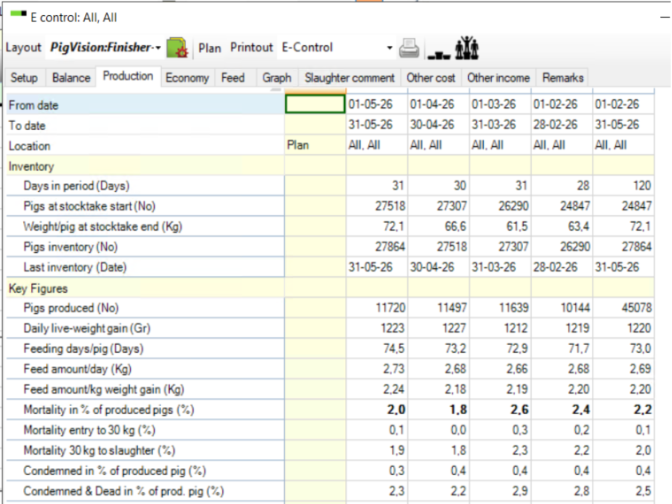
Data entries for batch and location are the same as above. It is the same with batch reports, however, the production reports can be by location or a side-by-side comparison of locations. It can also be a total of all locations.
The below example is a report on the location "E":
Here is an example for side-by-side comparison (Location S, T, E and L):
And an example for the total of all locations:
To set up the different reports see here.