
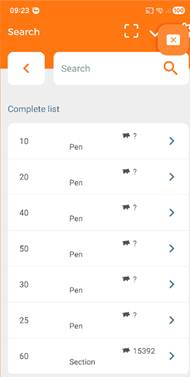
When you have a location on one level as “Part of” a location on a higher level and you do inventories on both levels on the same date, then the higher-level location inventory is dominant. This means that counts in the app will only show a stock count on the highest location level and the lower-level locations will show a question mark.
Example:
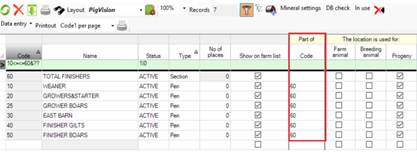
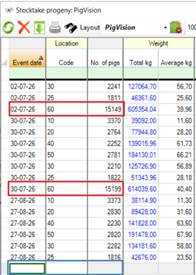
The highest level is location 60 is a section and the locations 10, 20, 25, 30, 40 and 50 are pens.
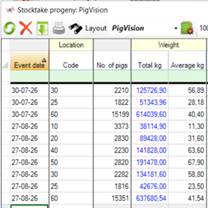
And with inventories made on the same date:
The app will show the Complete list like this:
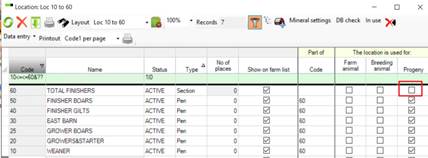
To solve this issue you have to remove the check mark from the highest level location, in this case location 60, from “The location is used for”.
And do not make the latest inventory for the highest-level location, before needed for the production report.
Having done so, the app will show the Complete list like this:
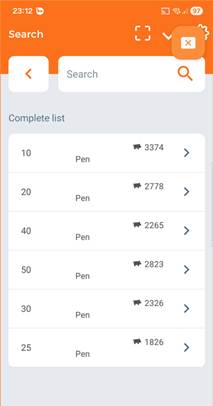
Giving the right counts for the pen locations.