
In the group card, it is possible for you to change the date of when your sows appear.
Go to "Management" - "Group card".
Here, click "Setup".
Before you can edit the days of when sows should appear, the sow selection should be added to the group card. Simply click in the code column and click the "Setup" icon or read more of how to add columns.
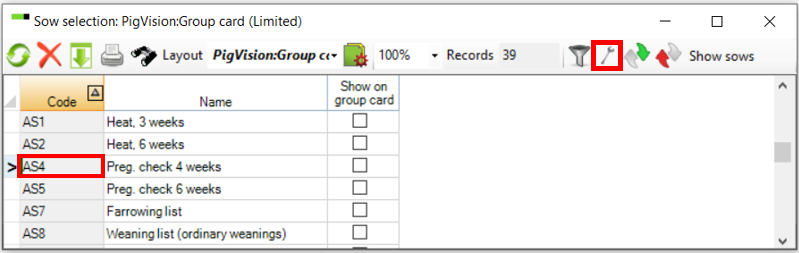
Now, choose the selection of sows by double clicking the code.
In the example below, we have double clicked on the code for "Preg. check 4 weeks".
A new window opens, where it is possible for you to change criteria of when the sows should be selected for the list. In example, If you want your sows to appear 21 days into the gestation, simply enter "21" in the column "Control day".
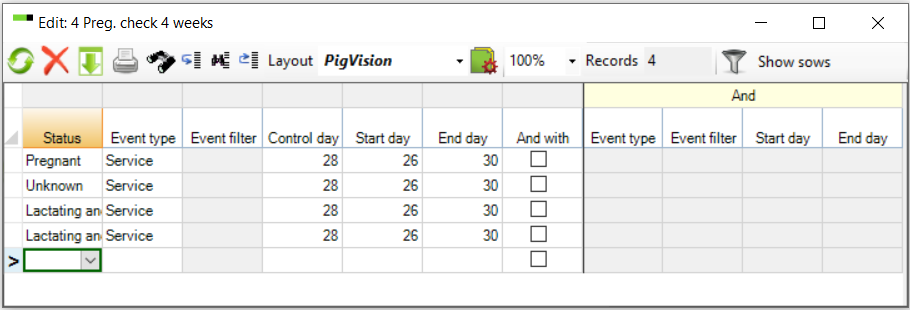
Close the window, when the changes has been made.