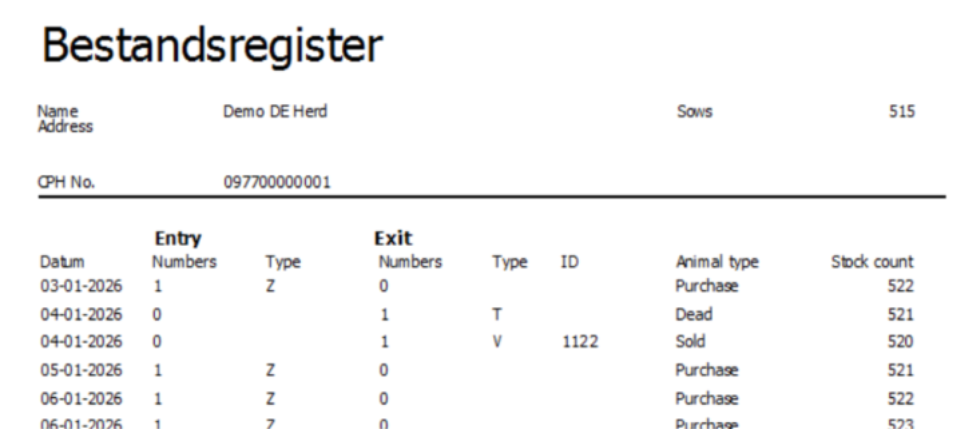
The “Bestandsregister” is a report for German authorities.
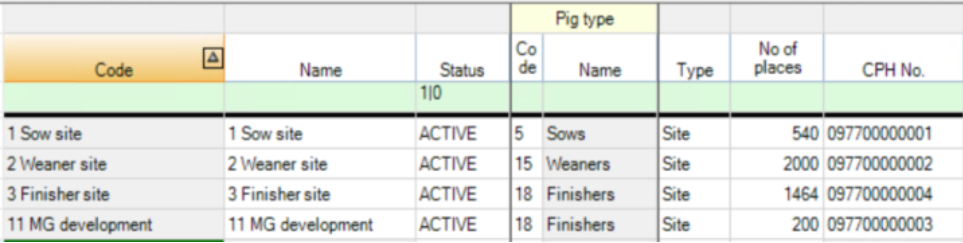
You must have a German setup in PigVision, and the farm must have a CPH number (VVVO Nummer) and so do sites within the farm.
Here is an example:
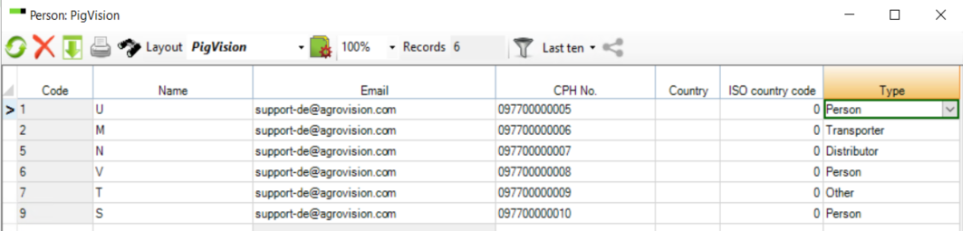
Under ”Third Party” you can also register the sources from where you receive animals and destinations to where you send animals and is you enter a CPH number (VVVO Nummer) these will show on the Movement report – Bestandregister.
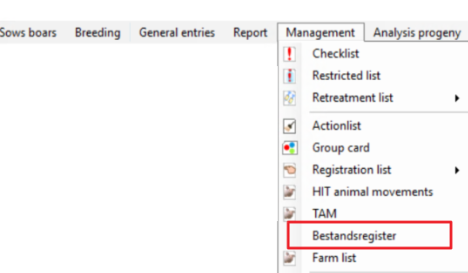
You find the "Bestandsregister" under the menu Management in PigVision.
When you open the “Bestandsregister”, you will have the setup on the left-hand side. 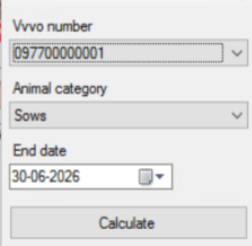
VVVO Number: In the dropdown menu (arrow-down) you can find the different CPH (VVVO) numbers registered to the farm under “Locations”.
Please note: If the farm only has one CPH (VVVO) number, then the CPH (VVVO) number will not show in the setup.
Animal category: In the dropdown menu (arrow-down) you can find the three kind of animal types (Categories) reports that can be made: Sows, Finishers and Piglets.
End date: Here you can enter a date to which you want to report to run too.
From January 1st until June 30th the "End date" is June 30th .
From July 1st until December 31st the "End date" is December 31st.
Calculate: When you click the “Calculate” button you will get a report for the current CPH (VVVO) number and the animal category selected.
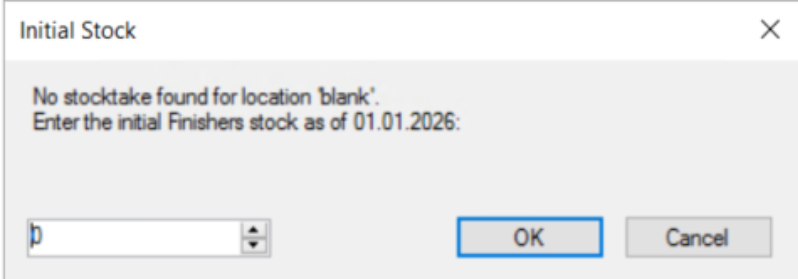
If a location does not have an inventory (Stocktake) then the program will prompt you to enter an inventory for the beginning of the period. In the example below this is January 1st.
If you have selected a CPH (VVVO) number and an animal category that does not have any registrations the program will prompt you with a message “No data to report”
And an example of a report: