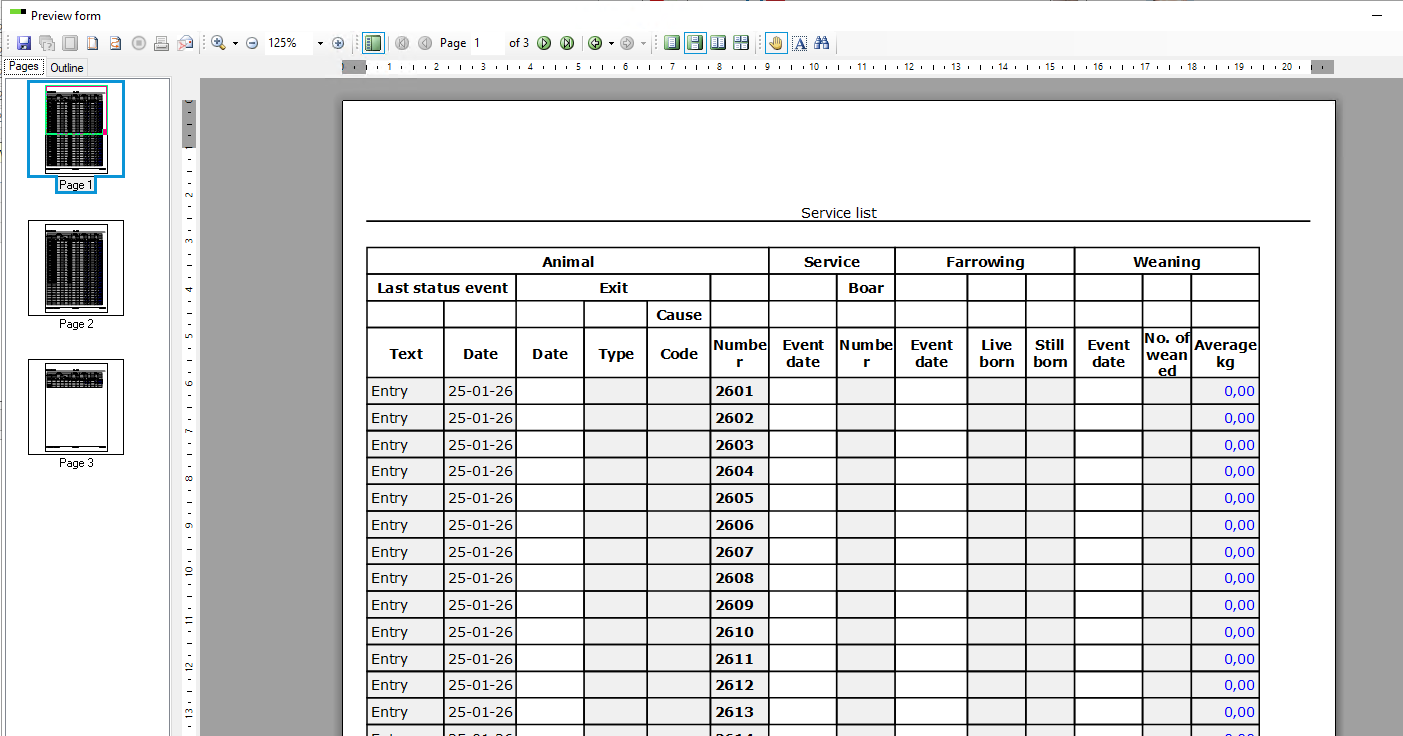
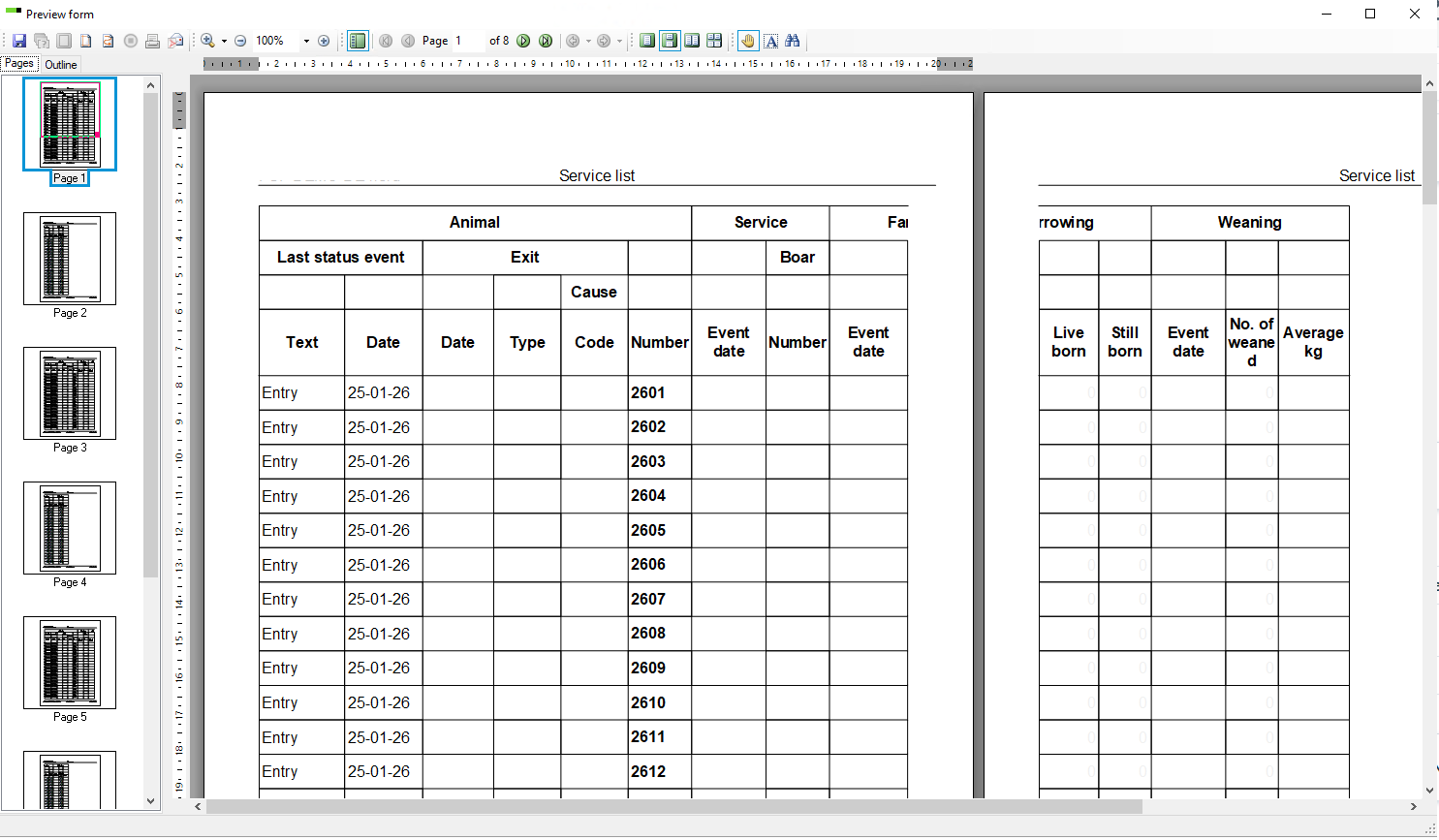
If you want to print your service list (or anyAction list) but the list doesn´t fit onto the page in portrait mode you can change the print layout and hide the columns you don´t need to print.
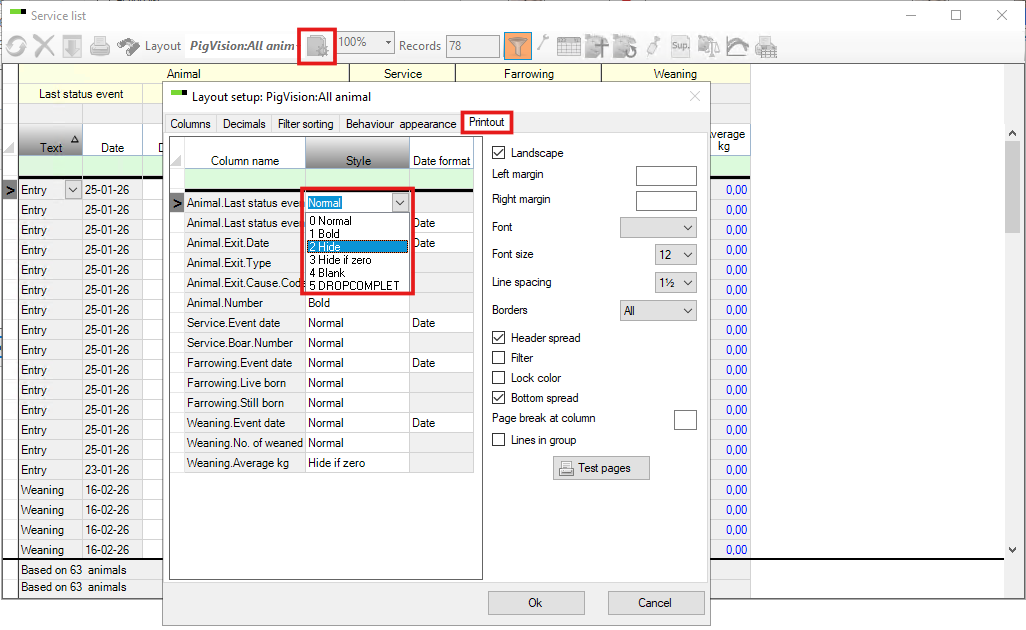
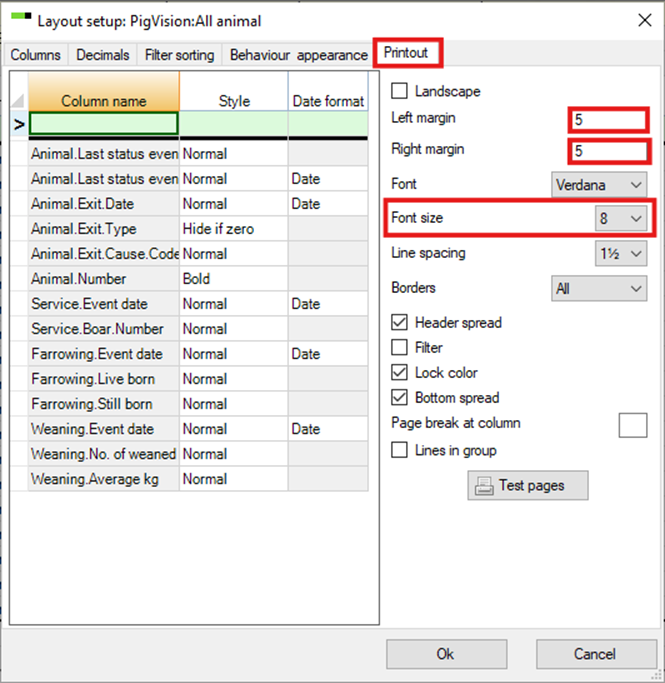
To change the print layout, go to the layout set up and to the tab called "Printout" as shown below.
Go to the column "Style" and choose "2 Hide" in the drop down menu for the column you don´t need on the printed version.
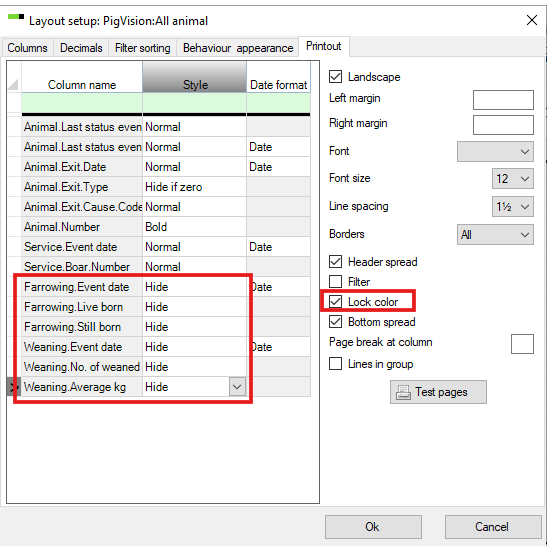
In this case we have chosen not to print the column with information about Farrowing & Weaning.
Tip -> Select "Lock color" to avoid printing with colours
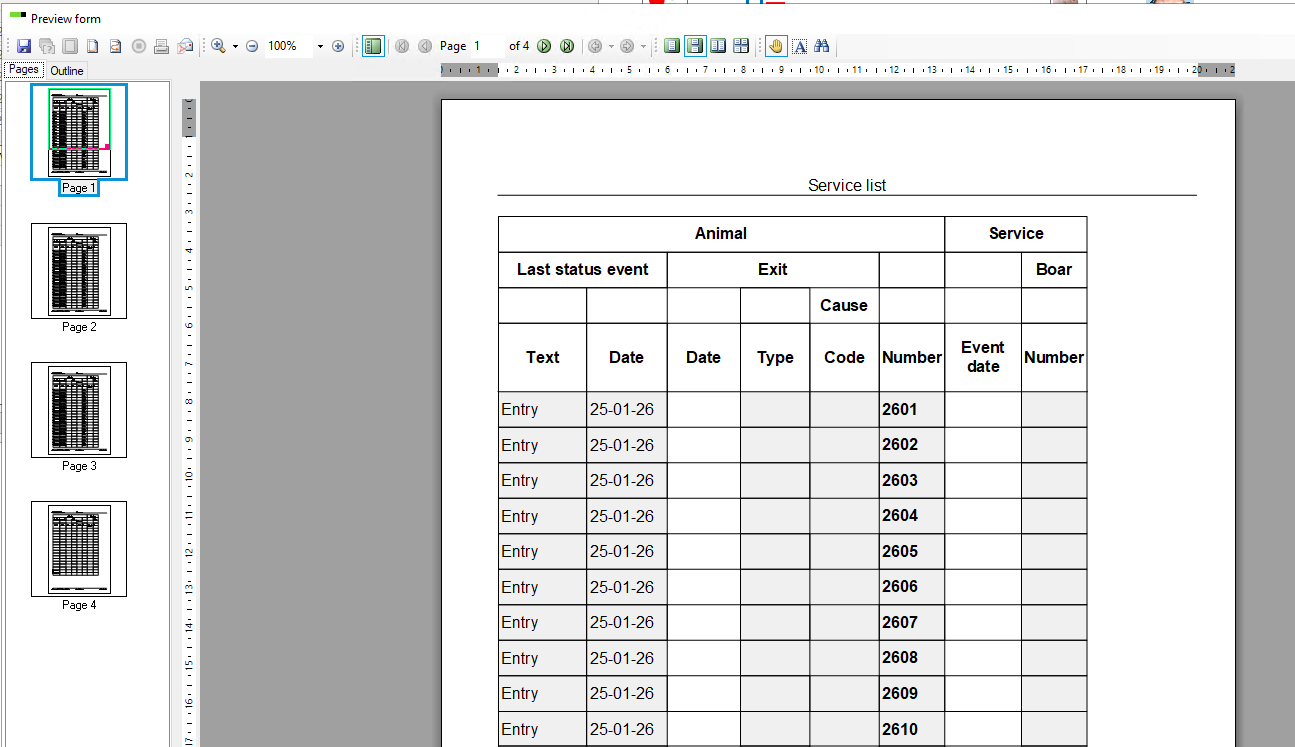
The printout will now look like this.
In case you do need all the columns you can also change the left and right margin, font size and line spacing as shown below.
Now the list fits on one page.