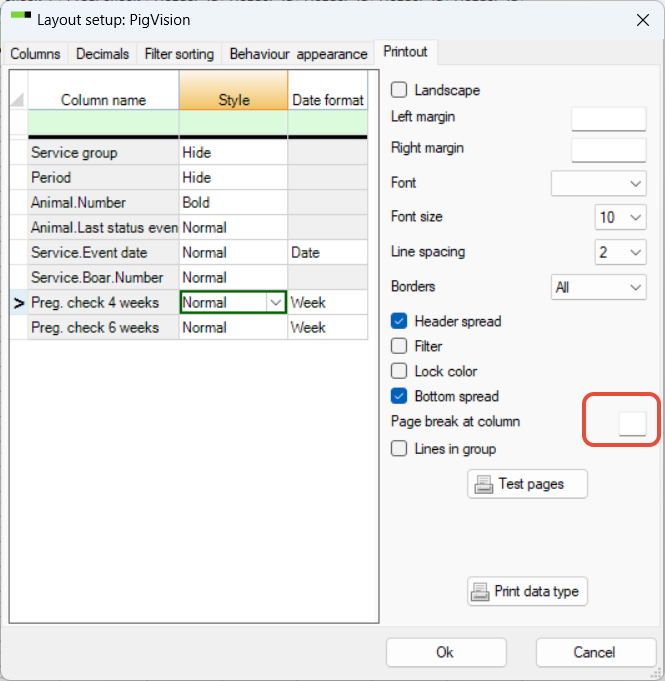
When printing a group card, you may see only few animals on one page. To change this, go to "Layout setup" - "Printout" tab. At "Page break at column no." check if it is a number there. This must be deleted, click OK to finish:

Modified on: Thu, 12 Feb, 2026 at 3:43 PM
When printing a group card, you may see only few animals on one page. To change this, go to "Layout setup" - "Printout" tab. At "Page break at column no." check if it is a number there. This must be deleted, click OK to finish:
Did you find it helpful? Yes No
Send feedback