
Search in Breeding menu
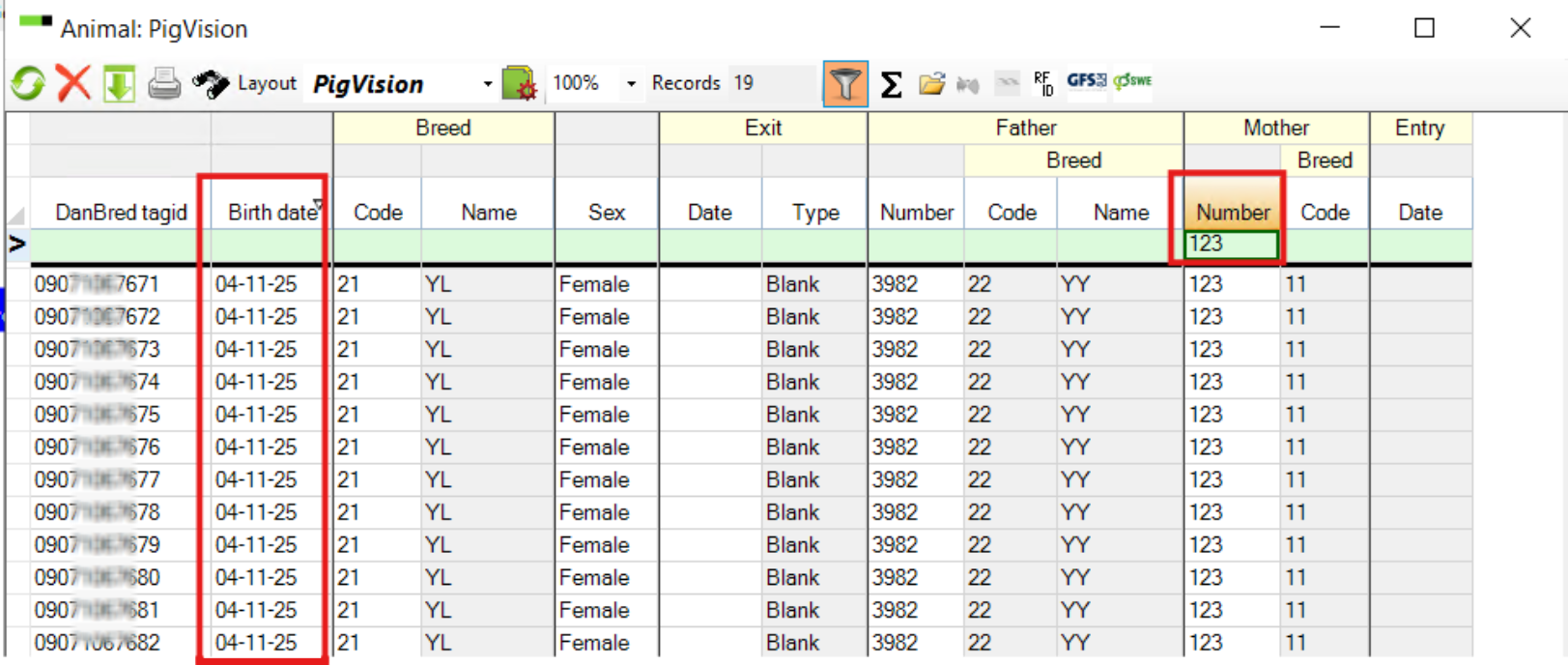
Go to Breeding → Breeding progeny. In the filter field, enter part of the animal’s ID number (for example, "111"). To enter part of ID number, right click in the filter line and select "Contains". The program will search for all animals whose ID contains these digits.
You can also try searching using the mother’s number. This will help you check whether the piglets born have been tagged.
This way, you will see all tagged piglets from a specific sow.
You can also refine your search by selecting a birth period in the “Birth date” filter.
Search in Sows/Boars menu
When you enter the tag id in the filter line and no animals are found it might be because she has already been made a farm animal.
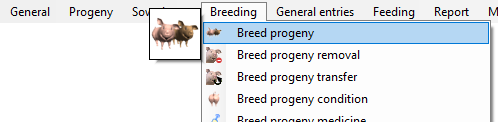
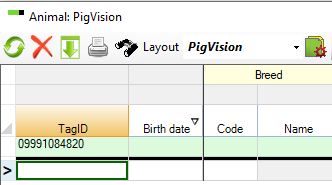
Go to Sows boars – Animal – PigVision – Breeding stock.

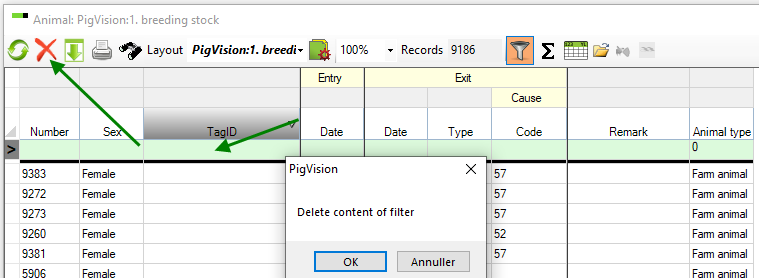
In this window you place the cursor somewhere in the filter line and press the red cross at the top to make sure that the filter line is empty.
Next you enter the tag id in the correct field in the filter line. If an animal exists in the database with this tag id it will be shown her. And if you look at the ‘Animal type’ you will know if the animal already has been transformed to a Farm animal.
Note:
If you exchange data with a breeding company, you need to use the relevant field for the search.
Under ‘Sows boars – Animal – PigVision – Breeding stock’ you can find any animal in the database. Under ‘Breeding progeny’ only animals with the animal type ‘Breeding animal’
Related topics:
Filter line, sorting, and sum line